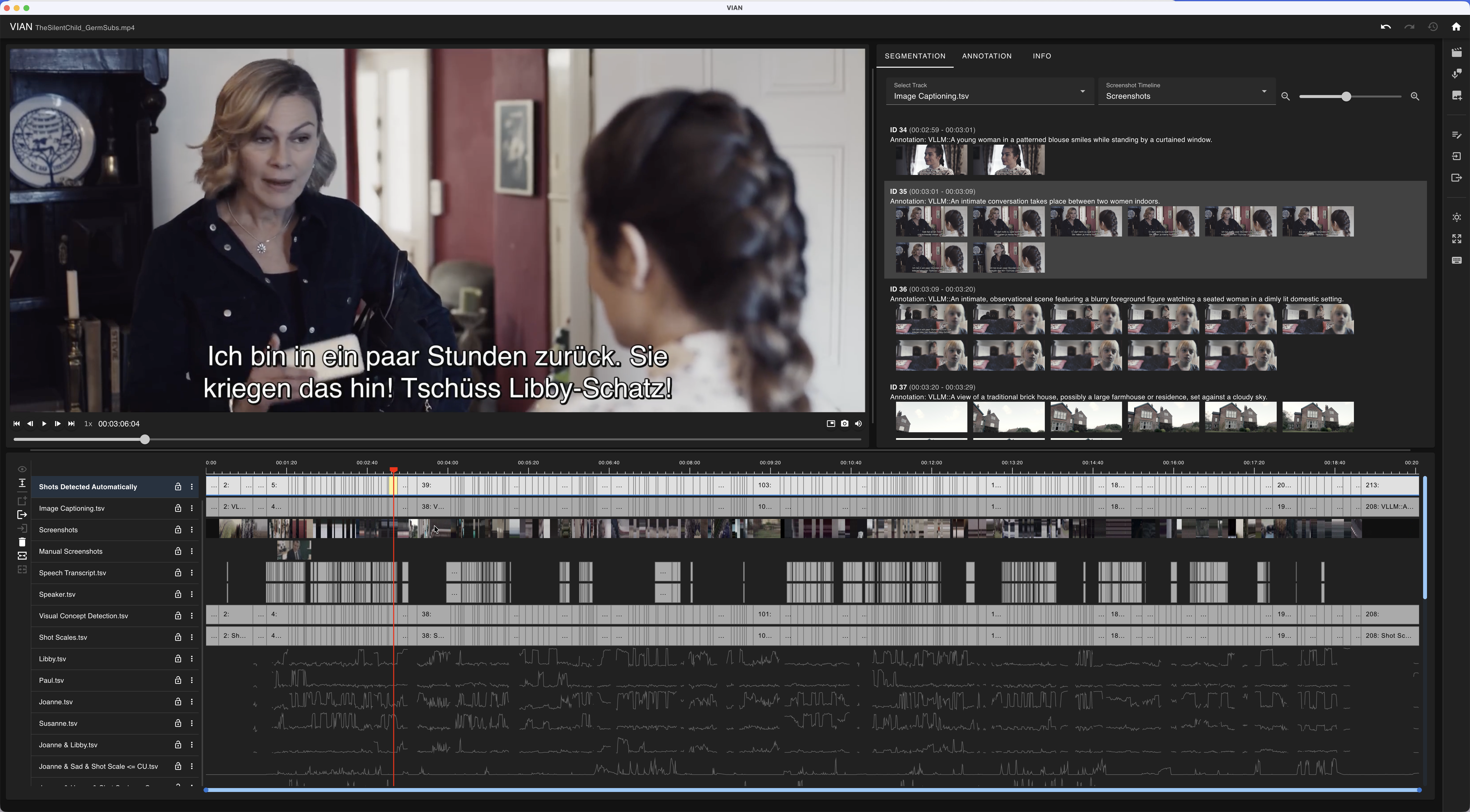
VIAN – Video Annotation and Analysis
The video annotation software VIAN and the VIAN WebApp are being developed at the Department of Film Studies in collaboration with the Visual Analytics at TIB Hannover, under the direction of Prof. Josephine Diecke, Prof. Simon Spiegel and Dr. Eric Müller-Budack.
The current version of VIAN is available for free on GitHub .
Download the VIAN user manual here (PDF, 8 MB).
The VIAN WebApp for corpus analysis of annotation data is currently available to UZH members only. The manual can be found here (PDF, 5 MB).
The official website is currently being revised. More information will follow soon.
________
Die Videoannotationssoftware VIAN und die VIAN WebApp werden am Seminar für Filmwissenschaft in Zusammenarbeit mit der Gruppe Visual Analytics der TIB Hannover unter der Leitung von Prof. Dr. Josephine Diecke, Prof. Dr. Simon Spiegel und Dr. Eric Müller-Budack entwickelt.
Die aktuelle Version von VIAN ist auf GitHub verfügbar.
Das VIAN Manual kannhier (PDF, 8 MB) heruntergeladen werden.
Die VIAN WebApp für die Korpusanalyse von Annotationsdaten steht aktuell nur für Mitglieder der UZH zur Verfügung. Das Manual ist hier (PDF, 5 MB) hinterlegt.
Die offizielle Website wird derzeit überarbeitet. Weitere Informationen folgen demnächst.
Installation
macOS (ARM processors)
- Download the .dmg file.
- Click the file and drag it into the Applications folder.
- Run VIAN and confirm the prompt warning that you are opening an application downloaded from the internet.
Windows
- Download the .exe file.
- Double-click it and run the installer.
- Launch VIAN.
Linux
- Download the AppImage.
- Make it executable in the terminal:
$ chmod u+x vian.AppImage - Run it:
$ ./vian.AppImage
________
macOS (ARM-Prozessoren)
- Dmg-Datei herunterladen.
- Datei anklicken und in Applications-Ordner ziehen.
- Ausführen und Hinweis bestätigen, dass ein Programm aus dem Internet ausgeführt wird.
Windows
- Exe-Datei herunterladen.
- Doppelklicken und Installationsprozess ausführen.
- Starten.
Linux
- AppImage herunterladen.
- Über Terminal ausführbar machen: $ chmod u+x vian.AppImage.
- Ausführen: $ ./vian.AppImage.